Squarespace Available (v1)
Squarespace calls the field Code Injection. The snippet goes into the Header — that way it loads on every page.
Steps
- Click Website in the main menu and scroll down in the pages panel to Website Tools.
- Open Code Injection.
- Paste the snippet into the Header field:
<script async src="https://cdn.visz.ai/v1/snippet.js?id=vz_your_key"></script>- Click Save.
Code Injection applies site-wide automatically, so no per-page setup is needed.
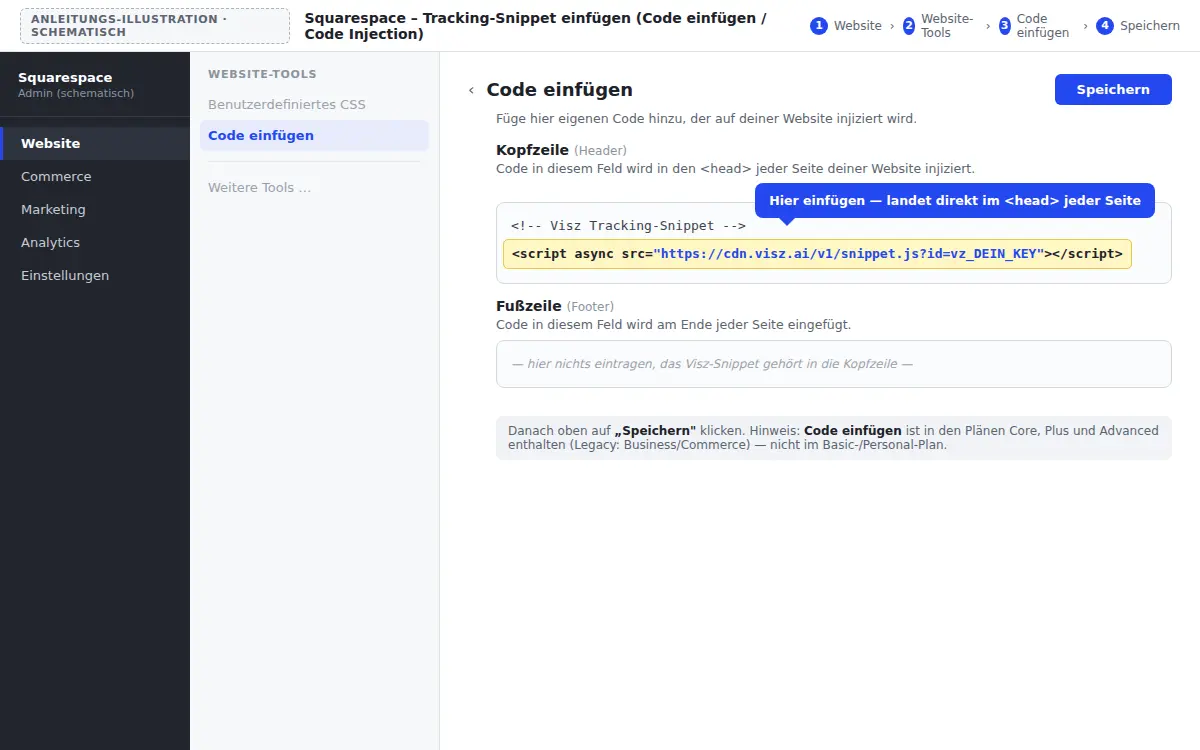
Code Injection requires the Core plan or higher (legacy plans: Business) — it’s not included in the Basic plan.
Next
Last updated:
Last updated on