Wix Available (v1)
Wix offers a field for your own code in the page head — that is where the snippet goes. No plugin needed.
Steps
- In your site’s dashboard, open Settings and click Custom Code under “Development & integrations”.
- Click + Add Custom Code at the top right.
- Paste the snippet and give it a name, e.g. “Visz”:
<script async src="https://cdn.visz.ai/v1/snippet.js?id=vz_your_key"></script>- Choose All pages (load code once — site-wide, not just one page).
- Set placement to Head and click Apply.
“All pages” is what makes tracking site-wide. A single-page placement is the most common reason events never arrive.
Placement must be Head so the snippet loads early.
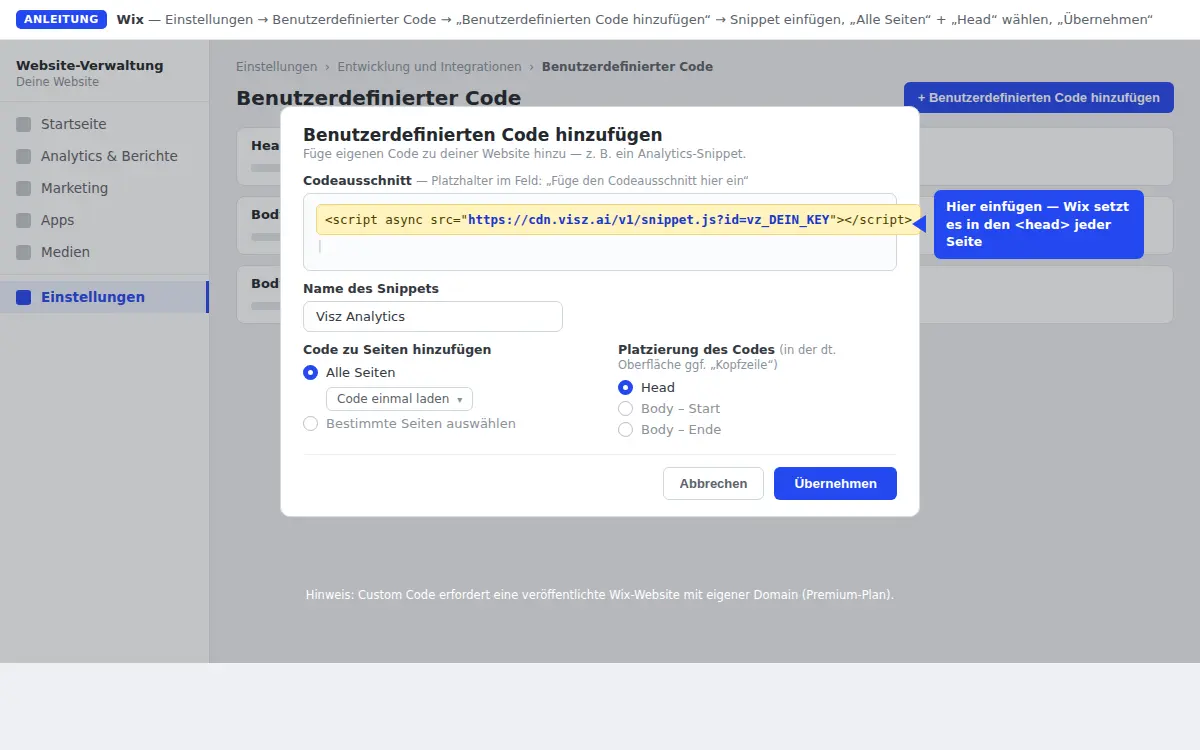
Custom code requires a premium plan with a connected custom domain — it’s not available on free sites (
*.wixsite.com).
Next
Last updated:
Last updated on