Webflow Available (v1)
In Webflow the snippet goes into the Head code field of the site settings. Important: custom code only takes effect after you publish.
Steps
- In the Webflow dashboard, open your site’s ⋯ menu → Settings.
- Click Custom code in the left sidebar.
- Paste the snippet into the Head code field (without your own
<html>/<head>/<body>tags):
<script async src="https://cdn.visz.ai/v1/snippet.js?id=vz_your_key"></script>- Click Save changes.
- Publish your site.
Custom code only goes live after you publish. Until then the snippet won’t load on the published site.
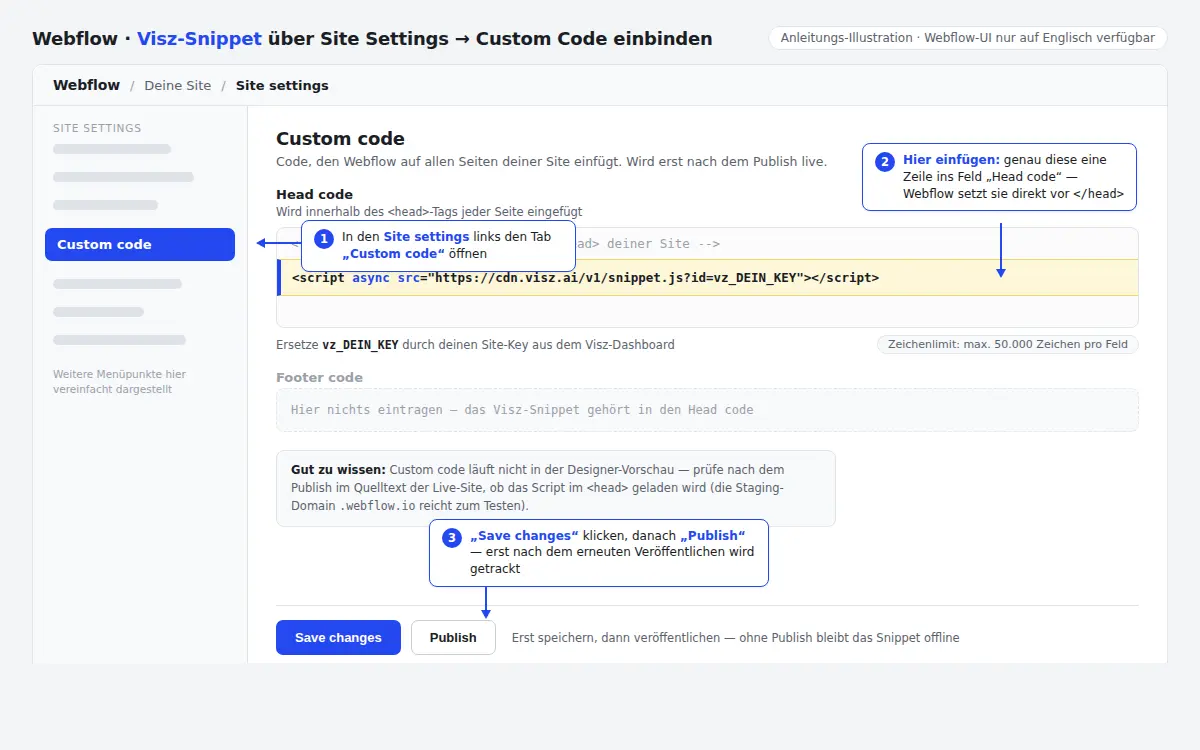
Head code applies site-wide to every page of the site.
Custom code requires a paid site plan (Basic or higher) or workspace plan — the free Starter plan can’t save head code.
Next
Last updated:
Last updated on